Form your first venture
Go from an idea to a formed venture with a public address in about ten minutes.
You form a venture through a 7-step wizard. Nothing is final until the last step, and you can move back and forth freely. Budget ten minutes.
To start, sign in and click Form Entity in the sidebar.
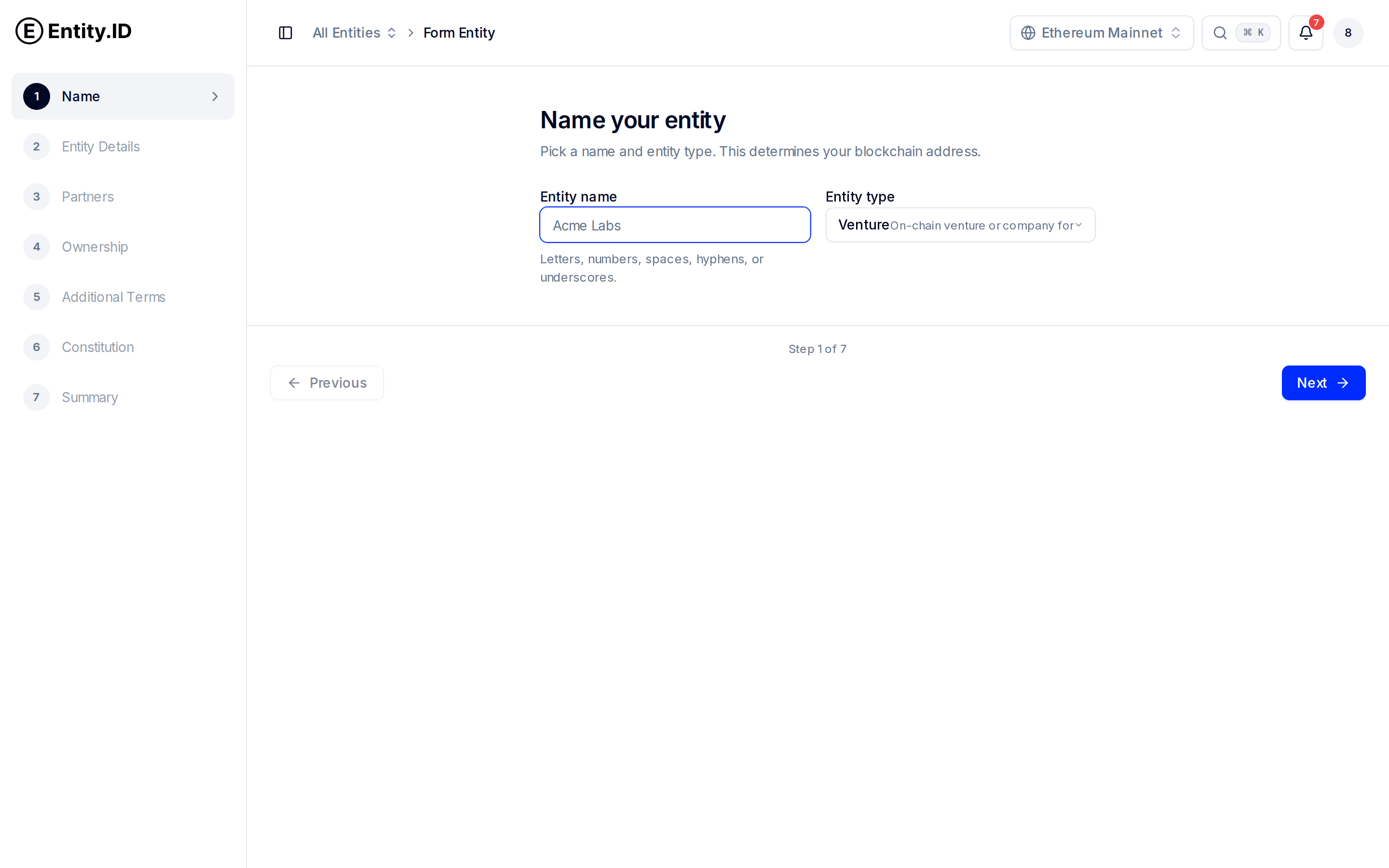
The seven steps
Name
Pick a name and an entity type. For a company forming around a project, choose Venture. (See Entity types for the others.)
Your name becomes your public address:
tarka-labs.venture.public.entity.idNames can use letters, numbers, spaces, hyphens, or underscores. Spaces become hyphens in the address. Pick carefully — this address is how banks, investors, and partners will look you up.
Entity Details
Describe what your venture does and where it operates. Write the business purpose in one or two plain sentences — it appears on your public page, and banks read it when you open an account. Then set your location.
Partners
Add your cofounders by name and email. Each partner gets an invitation and must sign in, verify their identity, and approve the venture before it's fully set up. You can form solo and add partners later, but adding them now is faster.
Ownership
Set the percentage split between partners. The splits must sum to exactly 100%. Equal splits are the default; drag or type to adjust. This becomes part of your venture's permanent record, so settle the conversation with your cofounders before this step, not after.
Additional Terms
Choose how disputes get resolved if the partners ever disagree and can't settle it internally. The default is Kleros arbitration — an independent, neutral arbitration service. You can name a custom institution instead, such as a specific arbitration body or court you prefer.
Constitution
Choose the rules your venture runs on. Three constitutional models are available:
| Model | Best for |
|---|---|
| Model 1 — standard | Most ventures. Balanced defaults for voting, ownership changes, and exits. |
| Model 2 — charter format | Teams that want a charter-style document with broader member provisions. |
| standard-llc | Ventures that plan to incorporate as an LLC soon and want matching terms from day one. |
You can read the full text of each model before choosing. Amendments are possible later through governance, so don't agonize — Model 1 is right for most teams.
Summary
Review everything: name, address, purpose, partners, splits, dispute terms, and constitution. When it looks right, submit. Your venture is formed and your public page goes live.
What happens after you submit
Your venture starts in Pending Approval. Each partner you added gets an email, signs in, verifies their identity, and approves the venture. Once everyone has approved, the status flips to Active.
Track this on the Overview page — the setup progress bar shows the three milestones: Entity Registration, KYC Verification, and Partner Approval. See Inviting members for the details.