Inviting members
Partners get invited during formation, verify their identity, and approve the venture.
A venture isn't a solo document — it's an agreement between people. Everyone you added as a partner has to confirm that agreement themselves. Here's how that works.
How invitations work
You add partners by name and email in step 3 of the formation wizard. When you submit the wizard, each partner receives an email invitation.
Each partner then:
- Signs in — with a wallet, email, or social account.
- Verifies their identity (KYC) — a short one-time check: a photo ID and a selfie. This is what lets banks and registrars trust your venture's member list later.
- Approves the venture — reviews the name, ownership split, and constitution, and signs their approval.
An approval is a real signature on the record. Once given, it's part of your venture's permanent, tamper-proof history.
Tracking setup progress
The Overview page shows exactly where setup stands. Three milestones have to complete before your venture is fully active:
| Milestone | What it means |
|---|---|
| Entity Registration | Your venture record and public address exist. Done the moment you submit the wizard. |
| KYC Verification | Every member has passed identity verification. |
| Partner Approval | Every partner has reviewed and signed their approval. |
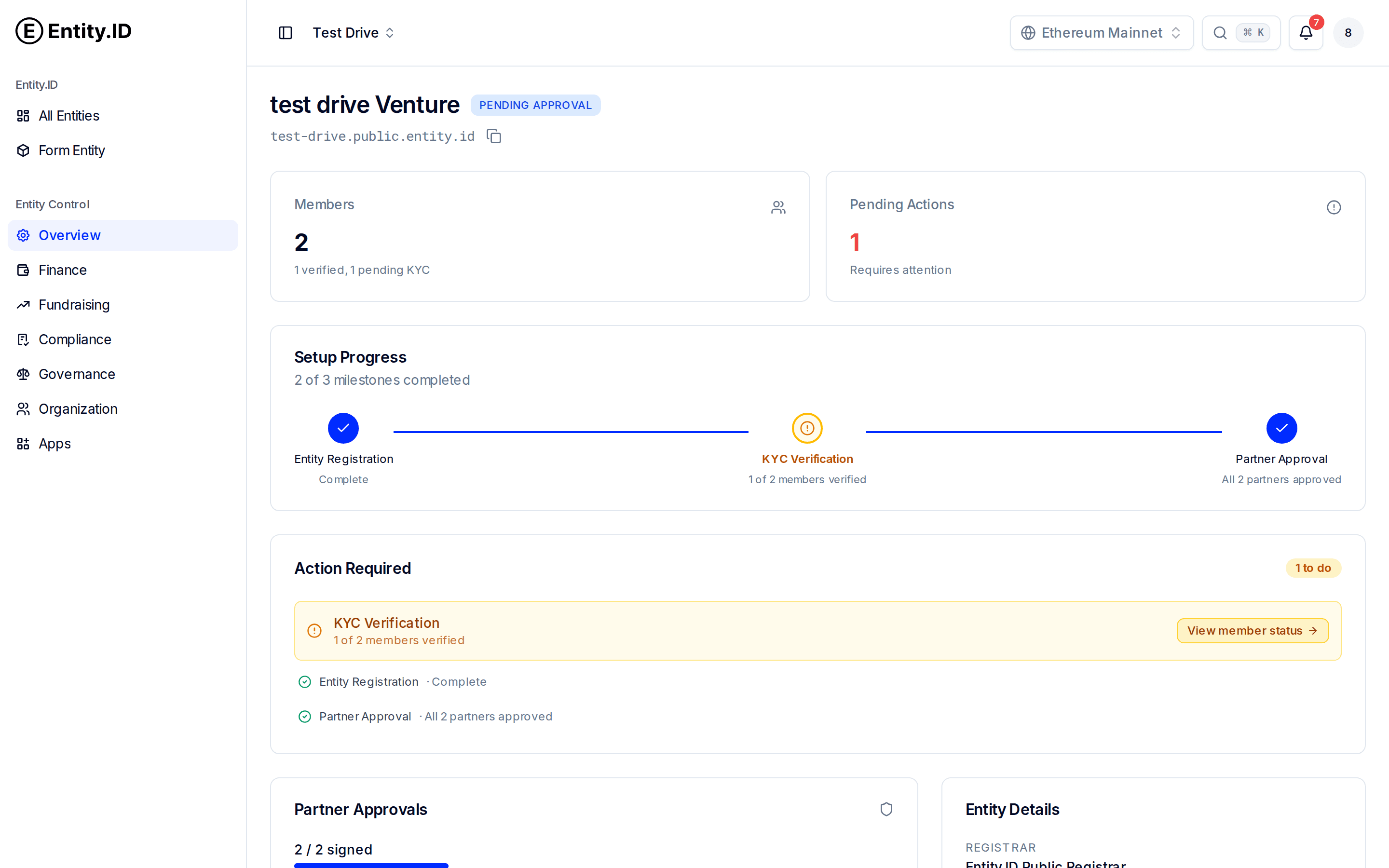
Anything blocking progress shows up under Action Required — for example, "KYC Verification: 1 of 2 members verified" with a button to check member status. Chase the laggards; the venture stays Pending Approval until everyone is through.
Adding members later
You're not locked to the founding team. Open Governance → Members and click Add Member to invite someone new. They go through the same verify-and-approve flow, and existing members can see their status (Active or Pending) in the members table.
Ownership changes are governance
Adding a member doesn't automatically give them ownership. Changing the ownership split is a decision the existing partners make through governance.