Signing in
Sign in with a wallet, an email code, or a social account — or explore in demo mode first.
Entity.ID supports three ways to sign in. All of them lead to the same account and the same ventures.
Wallet
If you already use a crypto wallet, connect it and sign a message to prove it's yours. No password, nothing to remember. Your wallet address also becomes the address you can sign approvals and treasury transactions with later.
Enter your email and we send you a one-time code. Type the code, you're in. Use this if you don't have a wallet or don't want to think about one — a secure account is created for you behind the scenes.
Social
Sign in with Google, GitHub, or Apple. One click if you're already signed in to that provider. Same account model as email sign-in.
Pick one and stick with it
Your ventures are tied to the account you sign in with. If you sign in with Google today and your wallet tomorrow, you'll see two different (empty) accounts. Choose the method your cofounders will recognize you by.
Just looking? Use demo mode
You don't need an account to explore. Click View demo on the sign-in screen to browse a read-only demo venture — dashboard, treasury, governance, the works. You can't change anything, and nothing you do is saved.
Demo mode is the fastest way to answer "what does this actually look like?" before you bring your cofounders in.
After you sign in
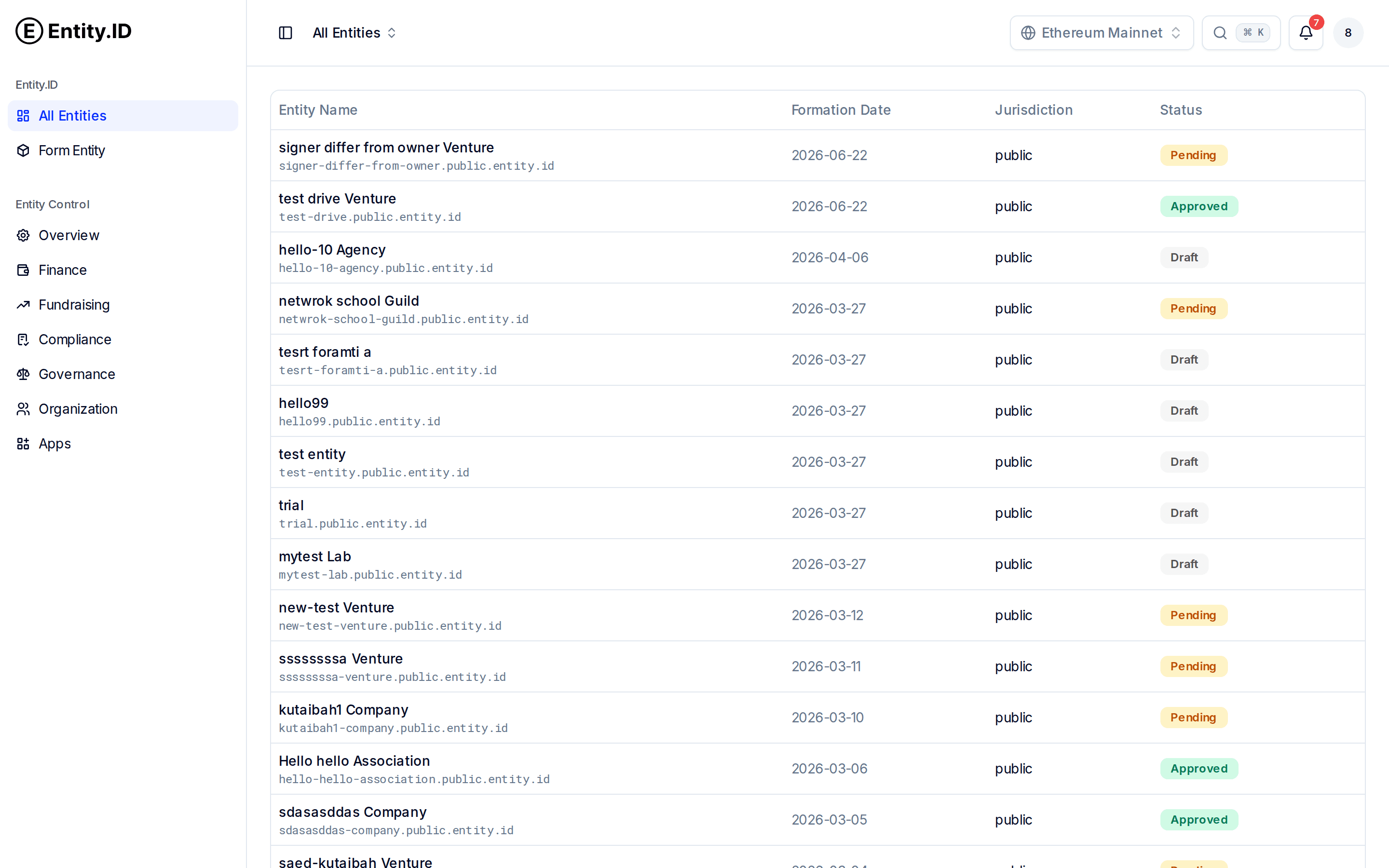
You land on All Entities — every venture you belong to, with its status and public address. From here you can open a venture or click Form Entity to start a new one.